
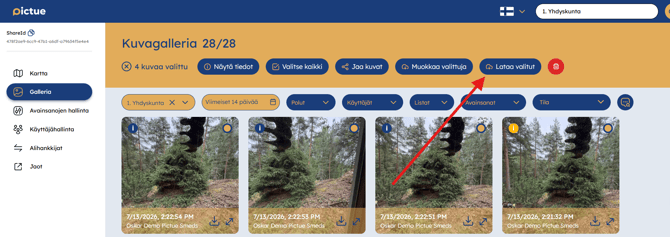
You can share images by selecting them and clicking the Share Images button that appears at the top of the page.
Choose one of the following sharing methods:
- Share directly with another organisation within Pictue using their ShareID.
- Share via link, which creates a unique link for the selected images. Click Copy Link to copy it to your clipboard. You can also set an expiry date and password protection if required. Recipients do not need a Pictue account to view or download the images.
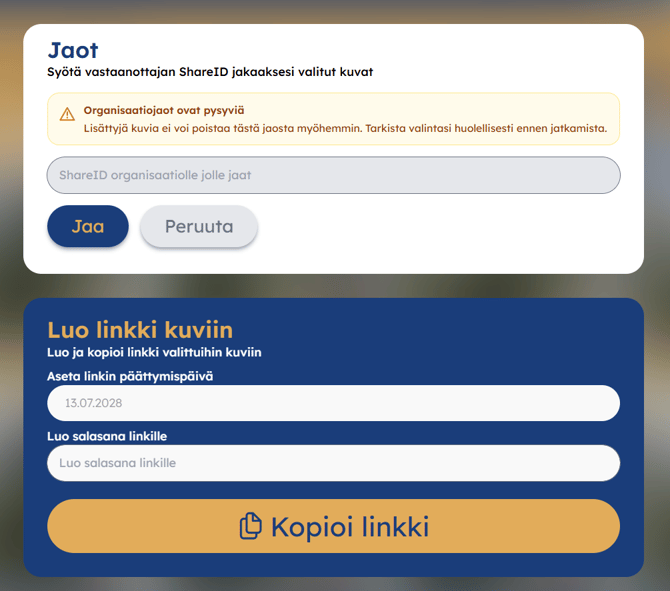
You can also manage your shared links here and add additional images to an existing link later if needed.
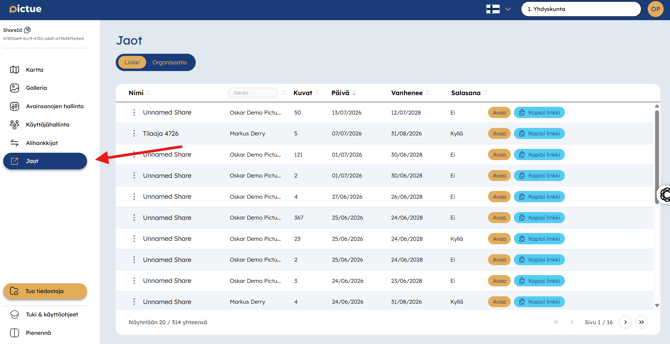
Images can be shared with both customers and colleagues. For example, you can include a shared image link in a report or invoice, saving both time and storage space by sharing a single link instead of sending multiple image files.
Downloading Images
You can download both images from your own gallery and images shared via a link by selecting them and clicking Download Selected.
- Downloading a single image saves the original file.
- Downloading multiple images creates a ZIP archive containing all selected images at your chosen image quality.
Downloaded images always retain their metadata, including location, timestamp, and other image information. This makes it easy to import large batches of images into other systems while preserving valuable documentation data.
Download Options
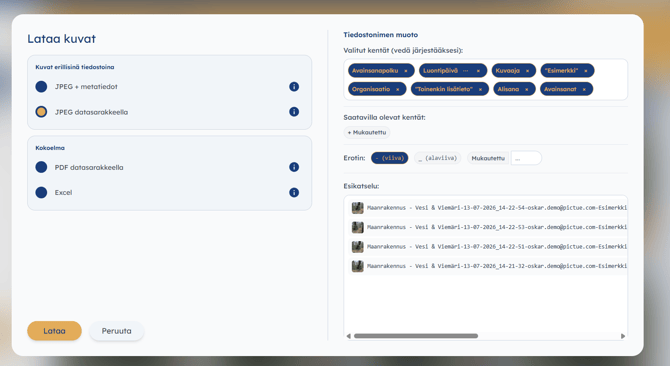
There are four download formats available.
The following exports can display Pictue metadata alongside the images:
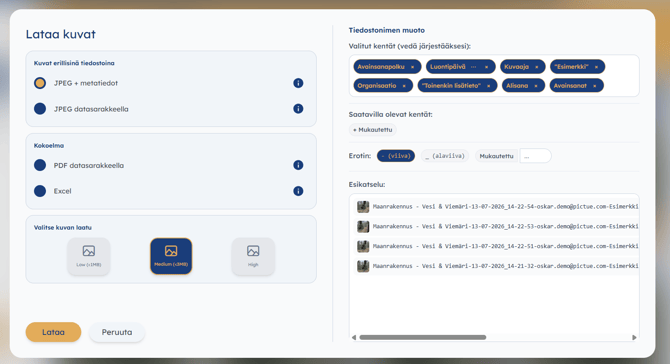
- JPEG + metadata
- Excel
- PDF with data columns
- JPEG with data columns
In these formats, the location, timestamp, user and other selected information are presented in the export content and with JPEG + metadata the EXIF data is used for relevant data.
Also all files supports the file names to be named based on image data.
If you are exporting images to another system you can use API for automated integrations.
1. JPEG + Metadata
This option exports the selected images as JPEG files and embeds the available metadata directly into the image files.
The embedded EXIF metadata can include:
- GPS coordinates
- Capture date and time
- Other available image metadata
You can select the desired image quality before downloading. You can also choose which Pictue fields are included in the downloaded file names.
How to download images with EXIF metadata
- Open the Gallery in the Pictue web application.
- Select the images you want to export.
- Click Download selected.
- Select JPEG + Metadata.
- Choose the desired image quality and file-name fields.
- Start the download.
How to check whether a photo contains location data
You can inspect the EXIF metadata with an image metadata viewer, for example:
Upload or open the downloaded JPEG file in the tool and look for fields such as:
- GPS Latitude
- GPS Longitude
- Date/Time Original
Privacy notice: Online EXIF viewers are third-party services. Do not upload confidential or customer-sensitive images unless the use of the service is permitted by your organisation. For sensitive material, use an approved local metadata viewer instead.
For metadata embedded directly into the image file, use JPEG + Metadata.
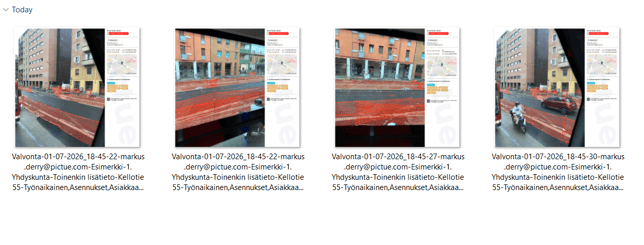
2. JPEG with Data Table
Downloads individual JPEG images together with their associated metadata.
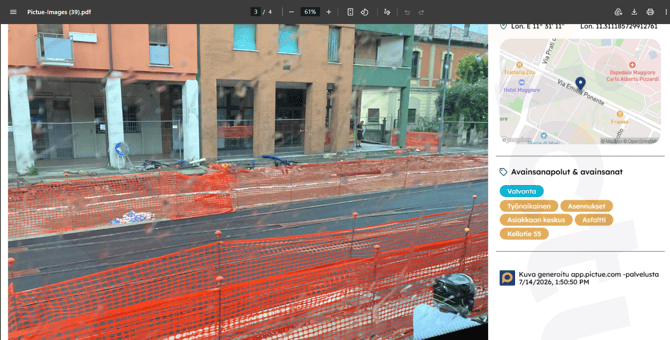
3. PDF with Data Table
Creates a single PDF containing all selected images, with one image per page and its associated metadata.
4. Excel
Exports image information to an Excel spreadsheet, ideal for creating punch lists, additional work reports, or other project documentation. 
Image File Naming
Both JPEG download options allow you to customize how image filenames are generated.
Automatic file naming eliminates the need to rename images manually, making it much faster to prepare handover documentation and project deliverables.
Subcontractor Images
You can add subcontractor organisations to your Pictue environment and share your Keyword Paths with them.
Subcontractors capture and classify images using your shared Keyword Paths, and the images are automatically available in both organisations' environments. This improves collaboration, transparency, and documentation throughout the project.
Learn more about the subcontractor model here.