
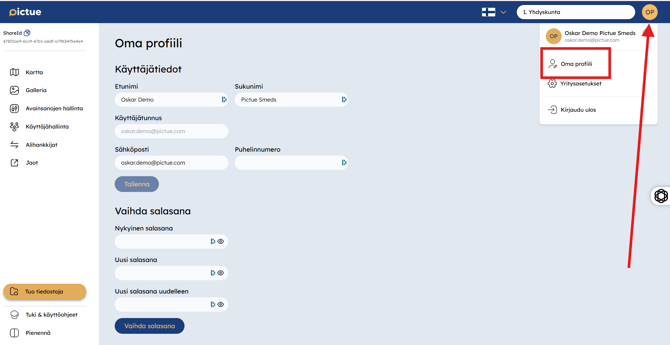
My Profile can be accessed from the drop-down menu in the top-right corner of the web application by clicking the orange profile icon with your initials, located to the right of your organisation's name.
From My Profile, you can view and update your first name, last name, email address, phone number, and password.
You can also manage your account in the Pictue mobile app. View the mobile instructions here.
.webp?width=670&height=1452&name=Pictue-Mobiili-Asetukset-1-709x1536%20(1).webp)