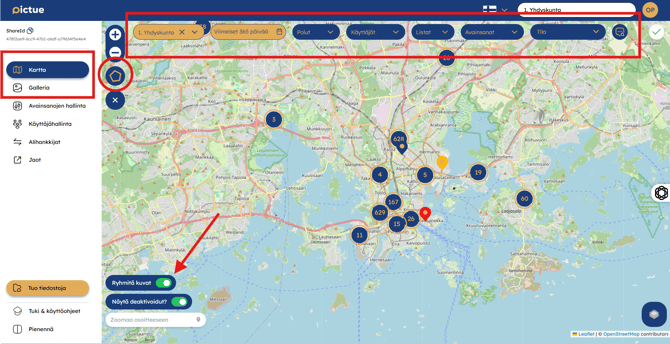
Use the available filters to display exactly the images you need.
The filters are located at the top of the page and in the left-hand panel.
You can filter images by:
- Area (using the polygon selection tool on the left)
- Organisation
- Capture date
- Keyword Paths
- Users
- Keyword Lists
- Keywords
- Image Status
- Comment search
The selected filters are applied in both the Map View and Gallery View.
Note: You can also choose whether images are grouped together by using the image clustering toggle in the bottom-left corner of the map.