
Skip to content
English - United Kingdom
  • There are no suggestions because the search field is empty.

Editing image details after upload

Edit image location, Keywords, Keyword Paths, and comments after upload directly from the Gallery.

Voit muokata kuvien tietoja jälkikäteen galleriassa https://web.app.pictue.com/gallery

You can edit image details after upload in the Gallery:

https://web.app.pictue.com/gallery

First, filter the images you want to edit. Then select the images individually or click Select All, and choose Edit Selected.
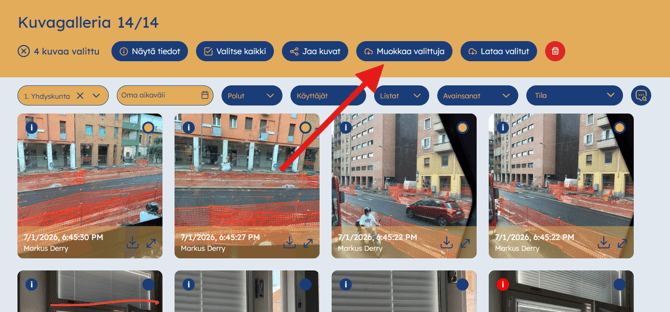
Pictue-Selain-kuvien muokkaus-1

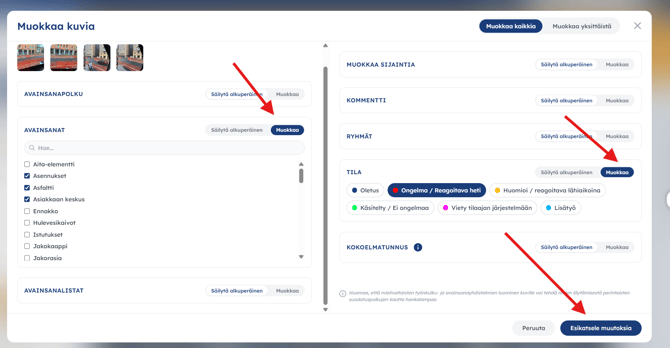
Update the required information, such as the image location, Keywords, Keyword Path, or comments, then click Preview Changes

Pictue-Selain-kuvien muokkaus-2

Review the changes and click Save to apply them. 
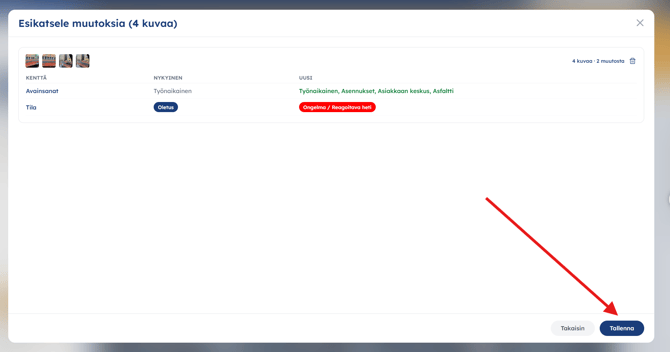
Pictue-Selain-kuvien muokkaus-3

 That's it—your selected images have now been updated.