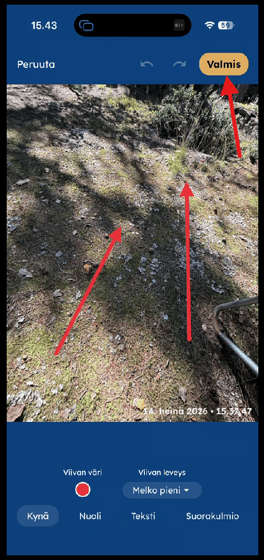
You can draw or add annotations to a photo by opening the captured images icon in the bottom-left corner of the camera screen and selecting the image you want to edit.

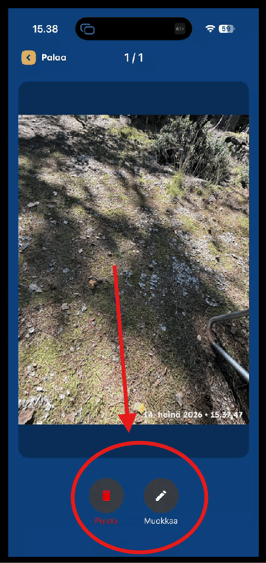
Once you've opened the image, tap Edit at the bottom of the screen. (The adjacent icon is used to delete the image.)
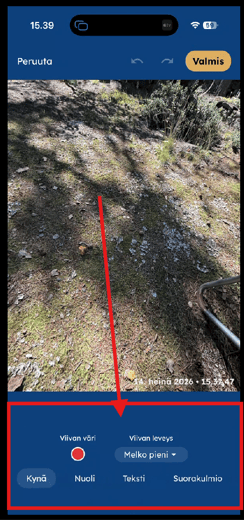
The drawing tools allow you to:
- Add text
- Draw shapes and arrows
- Draw freehand, for example to highlight routes or specific areas
After you've finished annotating the image, save it. Following the usual Keyword and comment selection, the annotated image will be uploaded to the cloud.
Important: Only the annotated version of the image is uploaded and stored. The original, unannotated image is not retained.